How to Add Referral Info in Employee Maintenance
Referral Info
- Login to SPARC as HR
- Open Employee Maintenance menu. Here you can see all the Employee details.
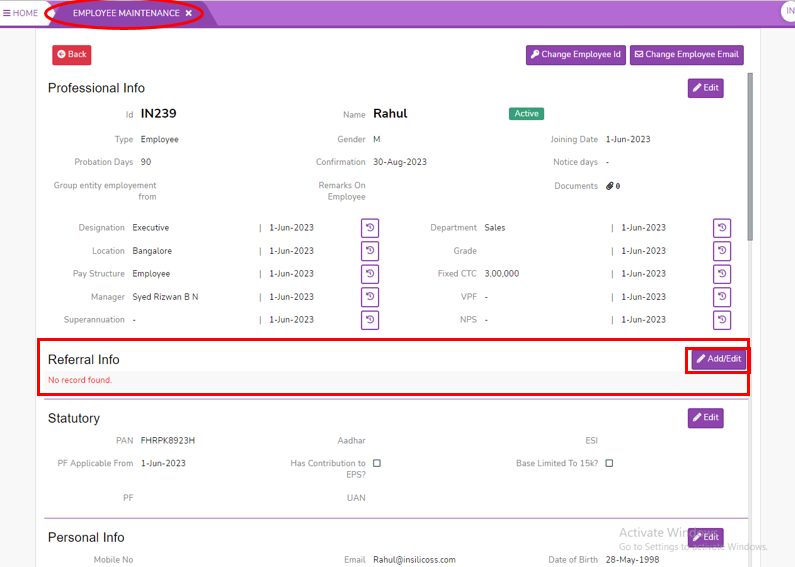
- Select one employee to whom you want to view/edit the details of the employee. Click on View button you can see all the professional and personal details of the employee.
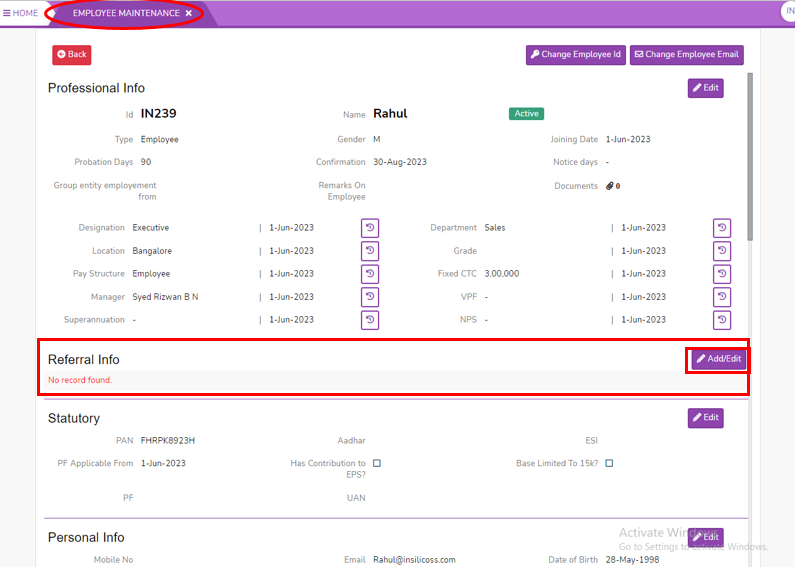
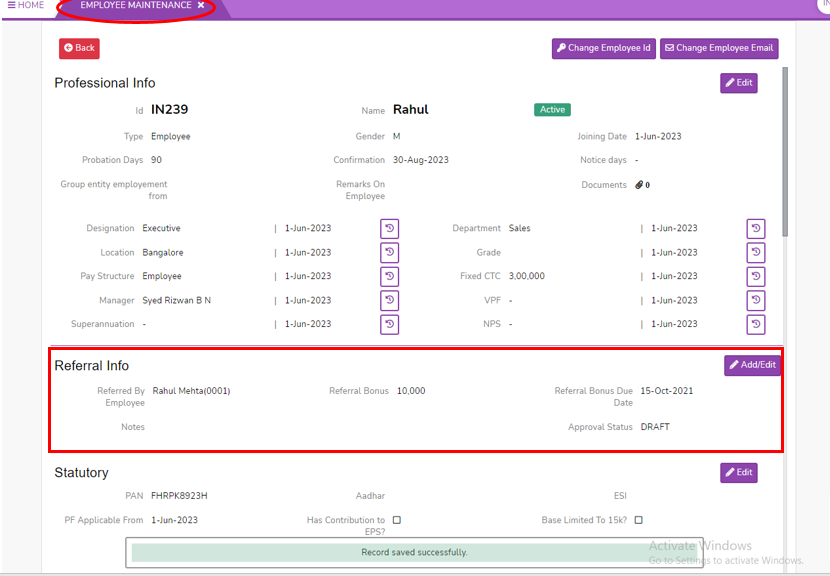
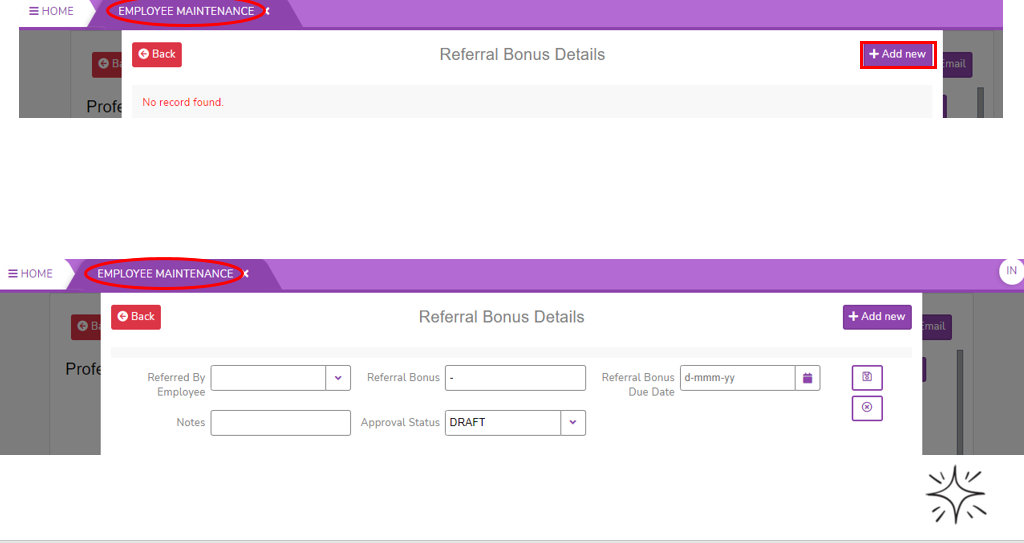
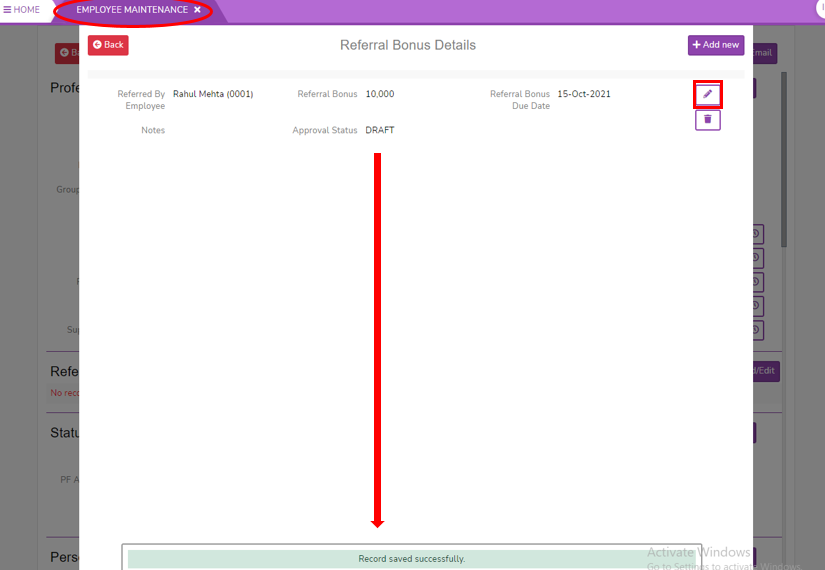
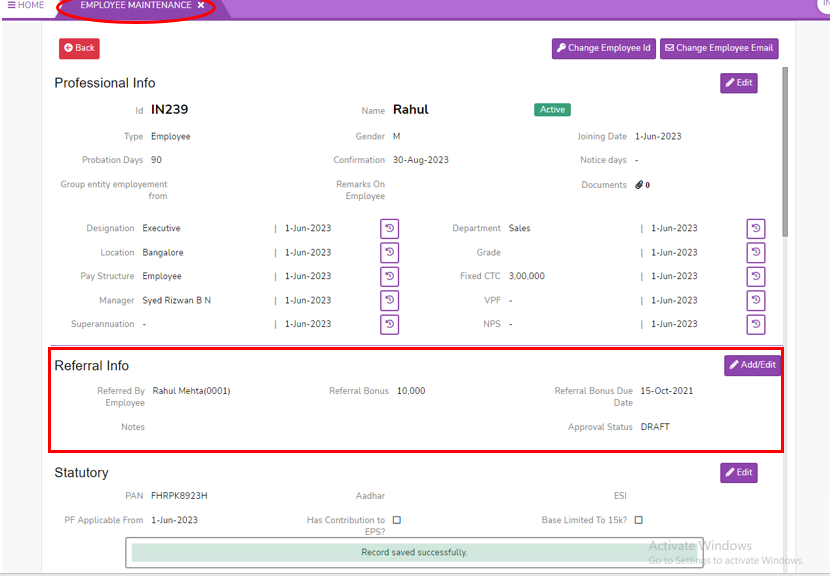
- Click on Referral Info Add/Edit button, here you can see the referral bonus details (or) Click on Add New button to add.
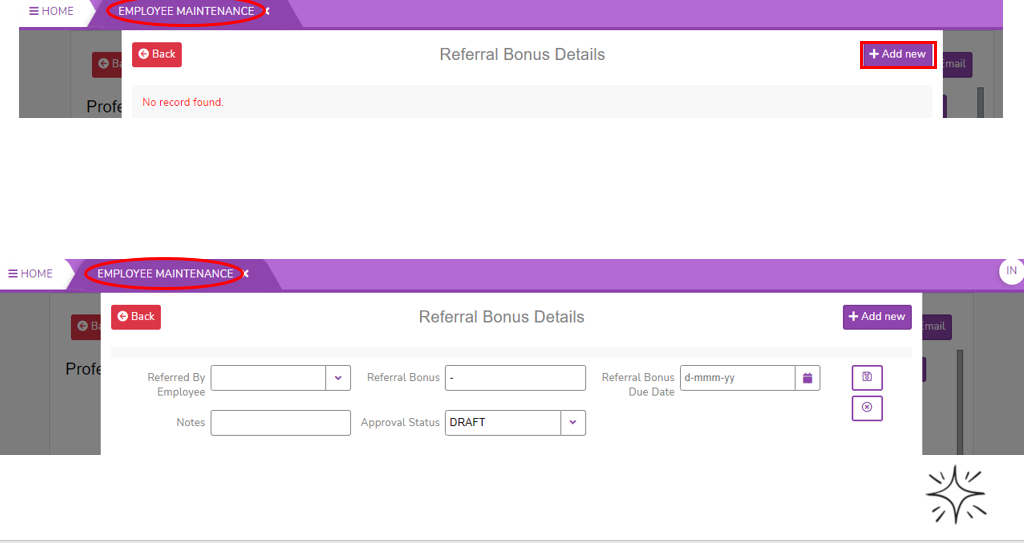
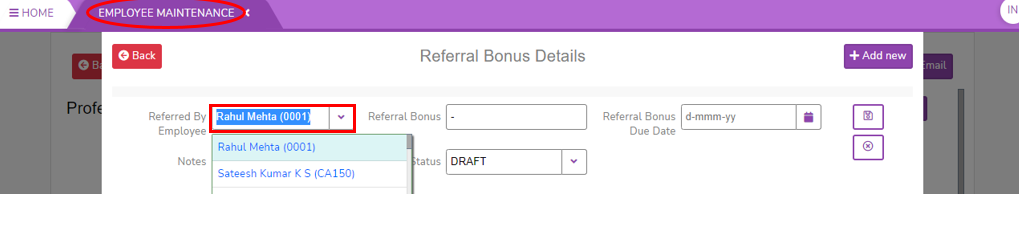
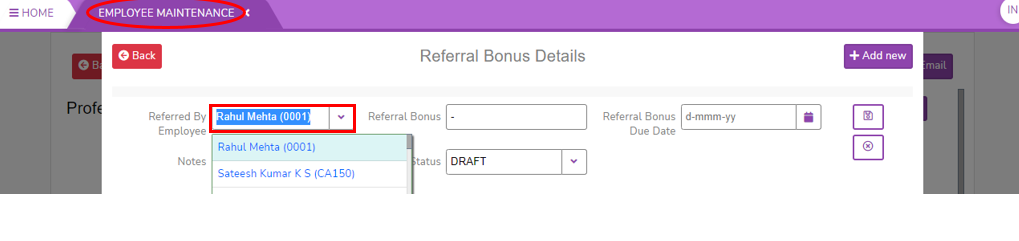
- Select Referred By Employee from the filter.
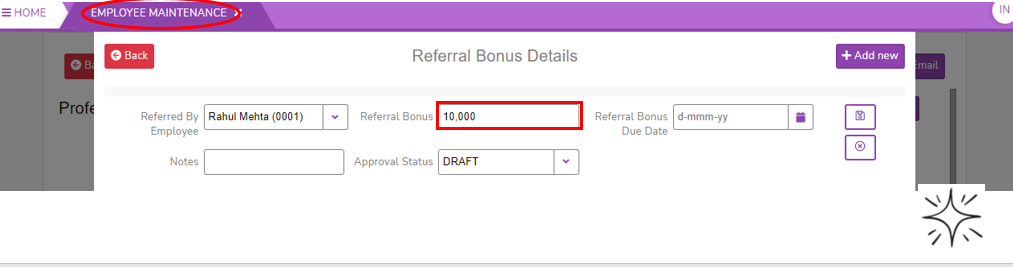
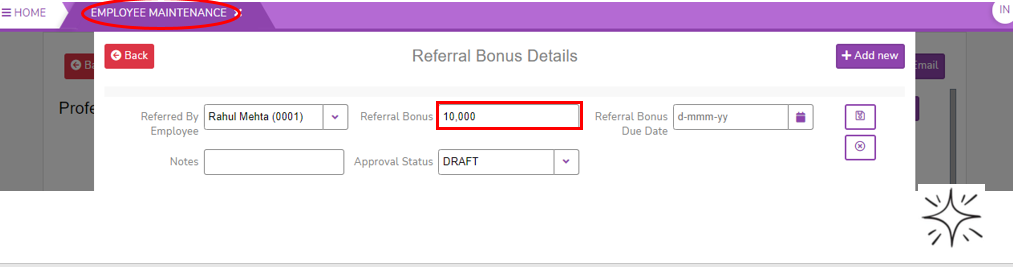
- Enter Referral Bonus. It is an incentive for employees to recruit qualified candidates for the company.
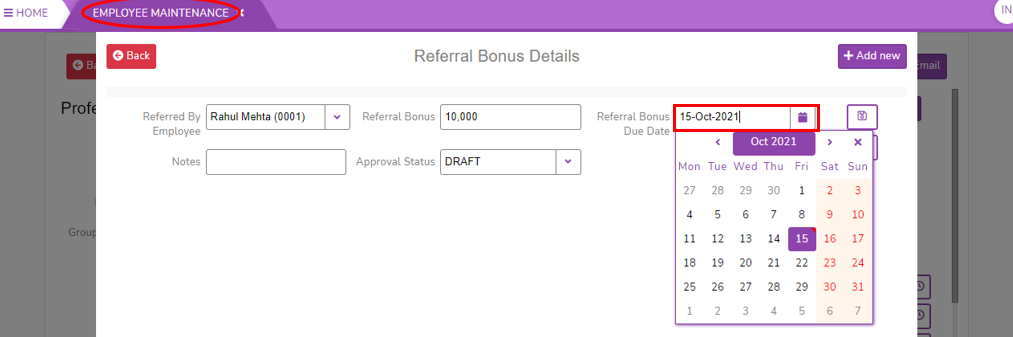
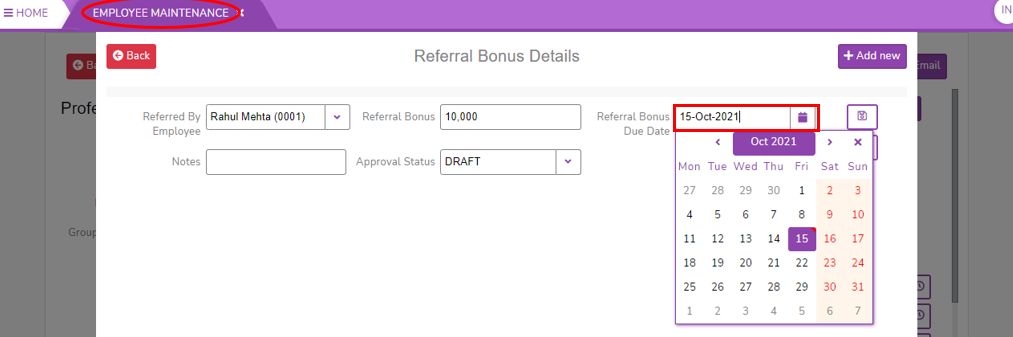
- Select the date of Referral Bonus Due Date.
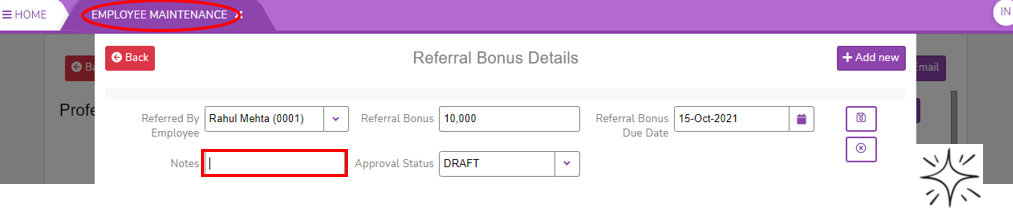
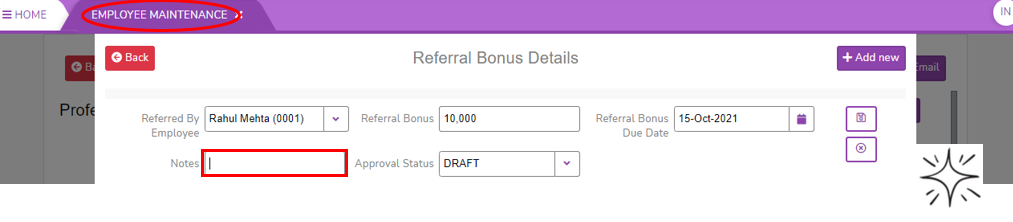
- Enter the Notes to add comments on that.
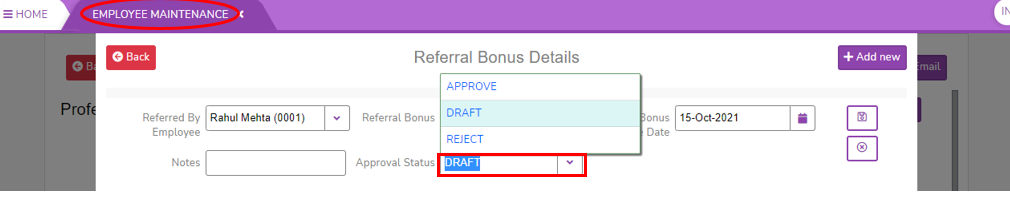
- Select Approval Status.
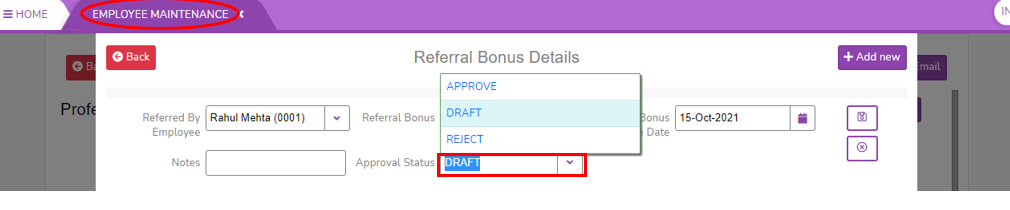
- Click on Save button to save the Referral Bonus Details. Click on Cancel to cancel.
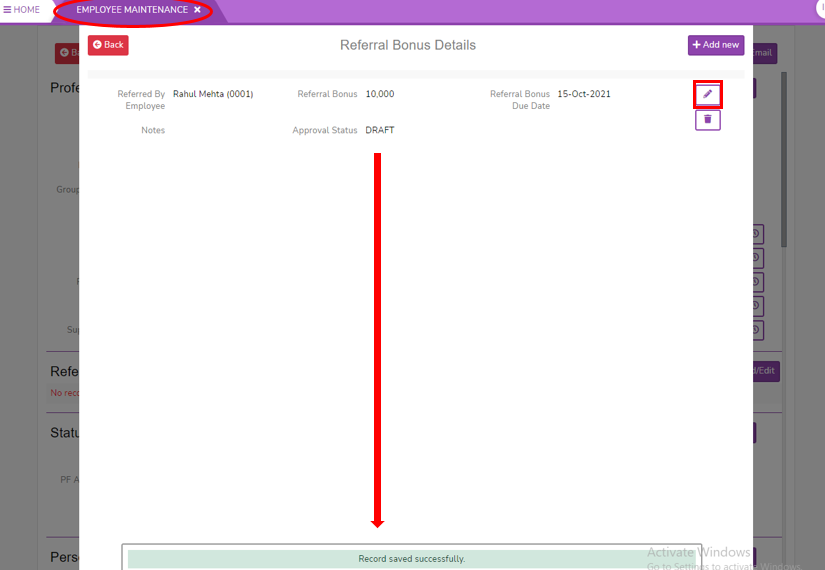
- Click on Back button to come back from Referral Info page.