Release Onboard Template Configuration to Employees
Release Onboard Template Configuration to Employees
The Release Onboard Employee Configuration to Employees is HR releases the employee profile so that the employee can enter their own personal, professional, and statutory details directly through the Self-Service portal.
The purpose of releasing the employee onboarding profile is to:
HR “Releases” the Employee Profile
- Employee Profile Release is needed because the system allows employees to update their details through the employee’s self-service access.
- This 'Release' process can perform through two different ways
-
- Release to Individual Employee
- Release to Group of Employees through Configuration
-
- Release to Individual Employee
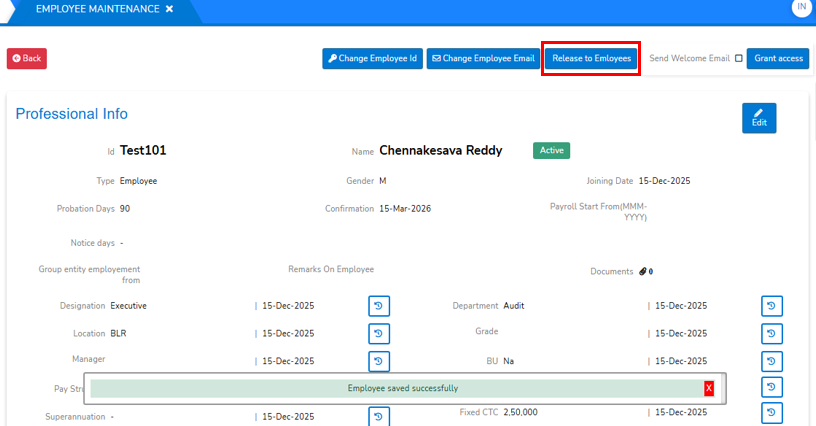
- After Employee basic creation, HR gives access to Employee and send welcome mail at the same time you can release the configuration to Employee as shown below.
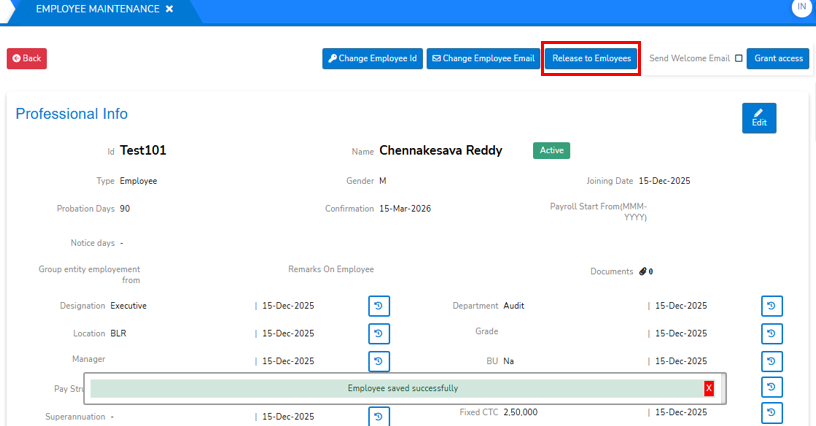
- After Employee basic creation, HR gives access to Employee and send welcome mail at the same time you can release the configuration to Employee as shown below.
- Release to Group of Employees through Configuration
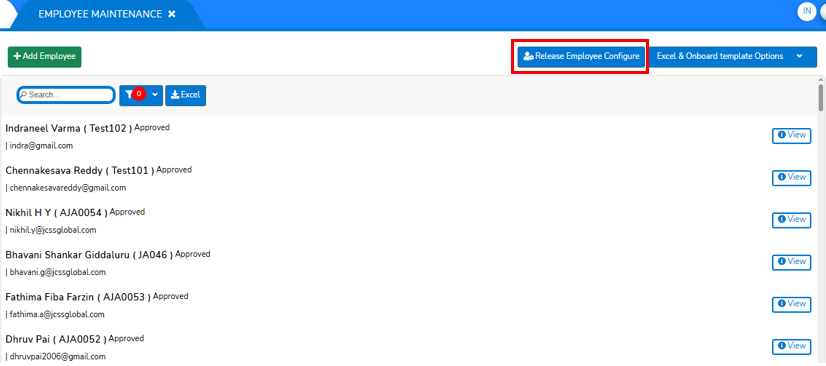
- To Release the configuration to all Employees, Then Go To 'Employee Maintenance Screen' on top of that screen as shown below.
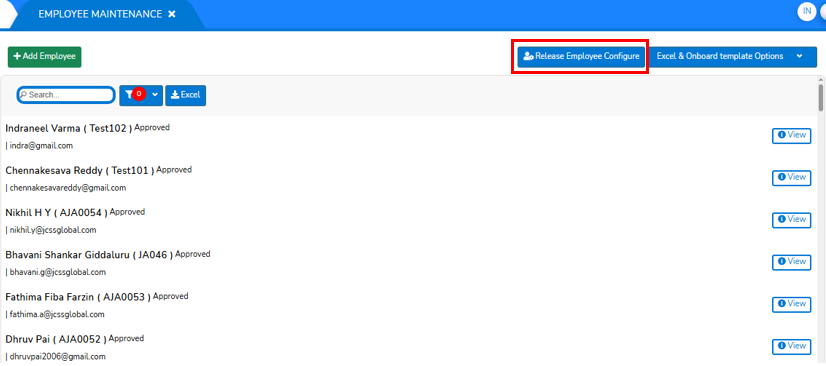
- click on "Release Employee Configure" will opens a screen displays the all employees and the status of release configuration of Employees as shown in below screen.
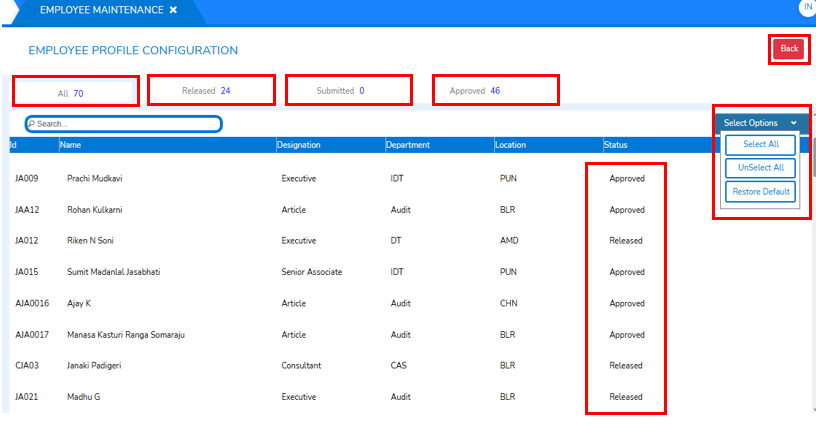
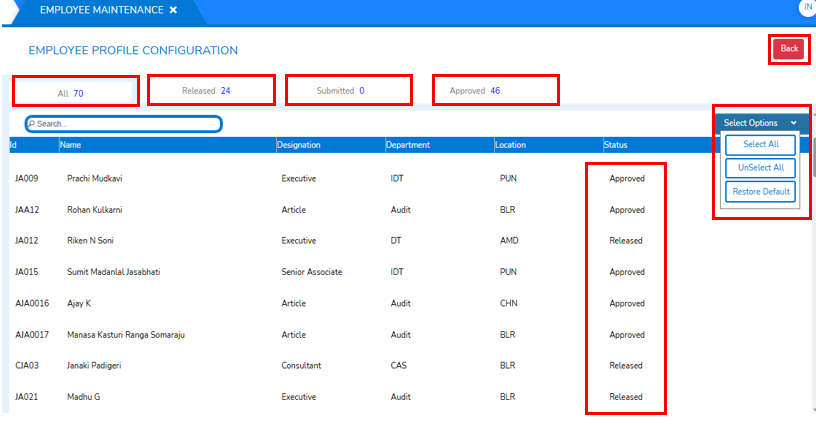
- During the Release process, you will be directed to the above screen, where all employees are displayed along with their onboarding status, such as “Approved” and “Released".
- The header section of this page shows status categories with corresponding count indicators. Each status is described below:
- All: Shows the complete list of employees in the organization along with the total count.
- Released: Represents the number of employees whose onboarding profiles have been released.
- Submitted: Represents the number of employees who have submitted their onboarding details for HR review after release.
- Approved: Indicates the number of employees whose onboarding profiles have been submitted and approved by HR. It also includes employees whose profiles are yet to be release for onboarding, where applicable.
- Select Options: This is the dropdown for the selection of Employees for releasing in bulk weather to 'Select All', 'Unselect All' or 'Restore to Default' by choosing these options. If you want you can choose by selection.
- To Release the configuration to all Employees, Then Go To 'Employee Maintenance Screen' on top of that screen as shown below.